Products
ResponseCommandNavigationDeltaTrainingReconDCU
SolutionsTopics
Incident collaborationEmergency navigationCarPlay for emergency vehiclesIntelligent command and controlHazardous materials responseProcedures and documentsLive video streamingLive vehicle positionsOperational readinessResponse coverage planningGeoIntegrate your dataPlatform ownershipApple ecosystemCrisis dashboardsCompliance and assurance
SupportTrust & compliance Plan a demo
Live video

See it. Mark it.
Share the next move.

Bring drone cameras, Zepcam and CCTV into the LIVEOP incident. Control PTZ cameras, capture the frame that matters, draw the instruction and share it with the people who need to act.
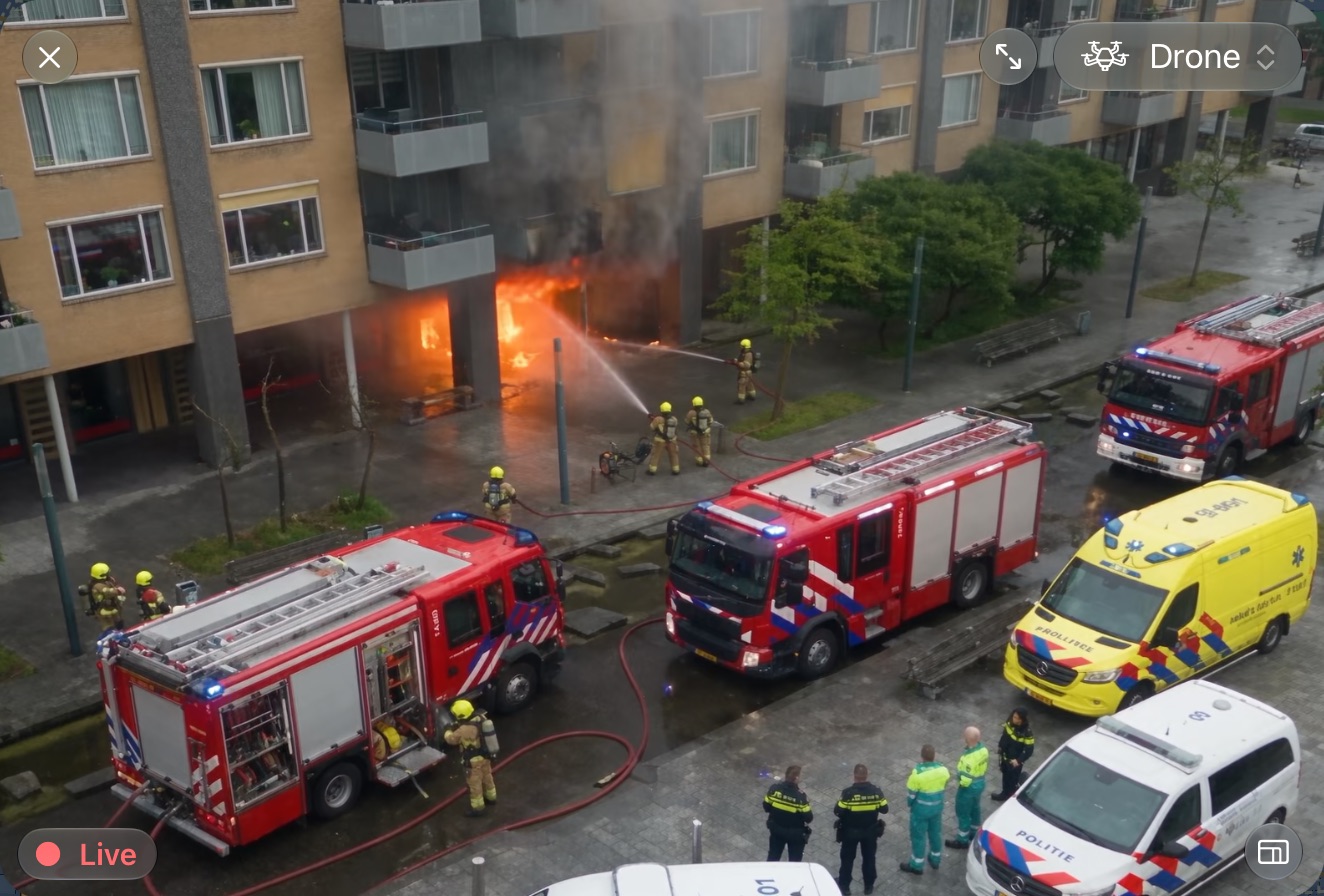
DronePTZZepcamCCTVField video
Live drone video in LIVEOP Response: fire crews tackling a fire at the foot of an apartment building, with fire engines, an ambulance and police on the street below
Cameras in the operation

One incident. Every useful angle.

Open the relevant live view where the rest of the incident is already being coordinated.

Drone cameras

Put the aerial view inside the incident.

Share live drone footage with the control room, commanders and teams on scene.

PTZ + Zepcam

Control the view without leaving LIVEOP.

Pan, tilt and zoom supported cameras, and open Zepcam video from the operational picture.

CCTV

Bring fixed cameras to the live picture.

View connected CCTV feeds beside the incident, map, messages and other operational information.

Screenshot and annotation

Freeze the frame. Draw the instruction. Share it now.

Capture a screenshot from the video, circle the point of focus, draw an approach or add a short instruction. Share the annotated image straight into the incident, so the field sees exactly what the room means.
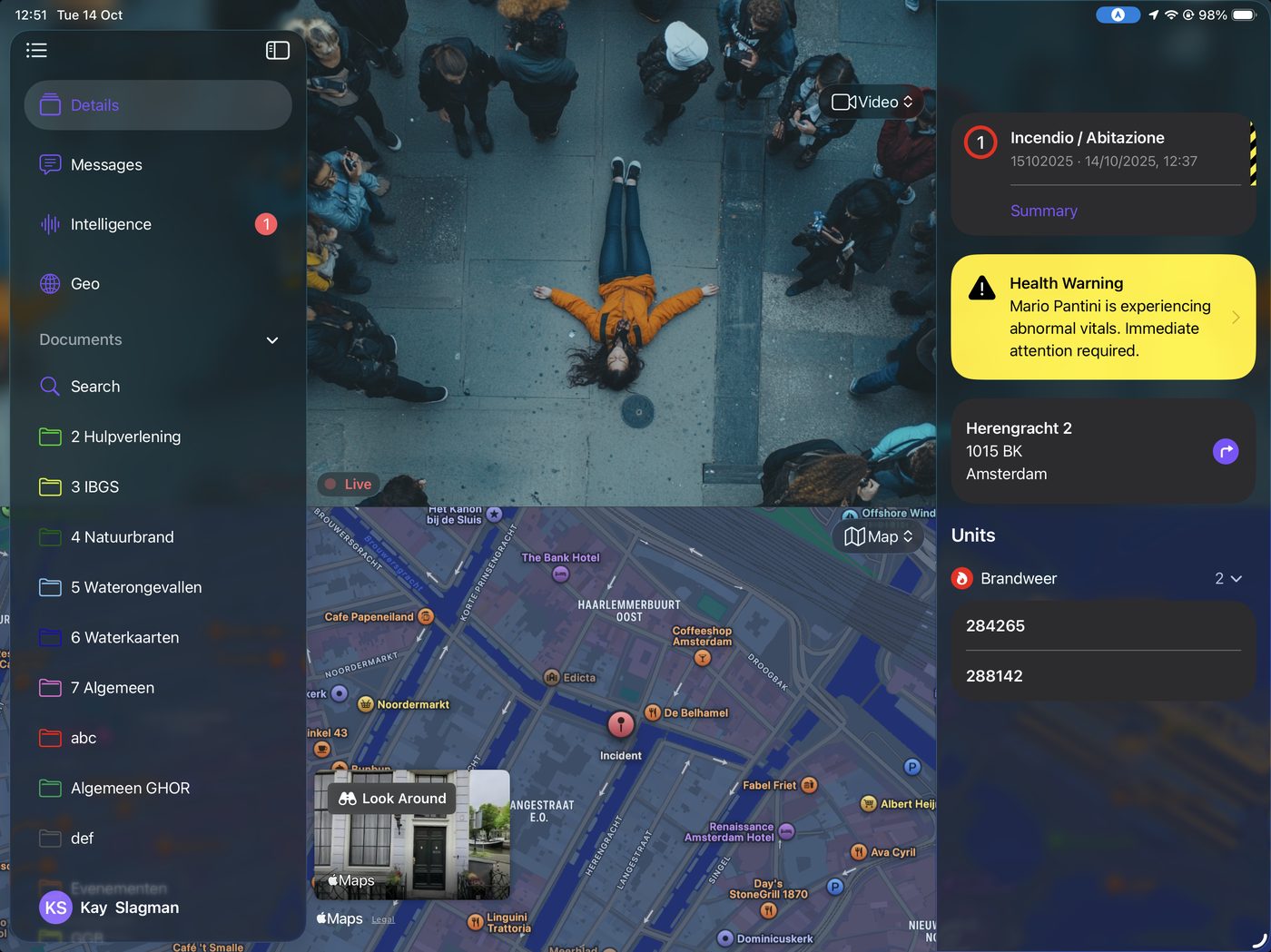
Capture the useful frameDraw arrows, lines and points of focusShare it with the incident conversation
Create and share from the field

Show the room what the team sees.

Record video in the field and share it directly with the incident. The room receives the visual update together with its operational context, ready to view and share onward.

FAQ

Live video, in practice.

Can LIVEOP work with our existing cameras?
LIVEOP can bring connected CCTV, supported PTZ cameras and Zepcam video into the operational picture. The exact connection depends on your camera platform and the stream formats available.
Can users control a PTZ camera from LIVEOP?
Yes, for supported camera integrations. Authorized users can pan, tilt and zoom while keeping the live feed beside the incident information they are working with.
How are screenshots shared with the field?
Capture the relevant frame, annotate the image and post it to the incident. The instruction then travels with the incident conversation instead of becoming a separate message without context.

Bring one camera. Follow the full workflow.

We will show how its video can enter LIVEOP, support a decision and reach the people acting on it.