DCU
Keep control when demand outruns the control room.
Open a governed coordination process for a defined slice of surge work. Assign incidents as work orders beyond the room, follow every outcome and return the operation cleanly when demand settles.
Your organization can expand coordination capacity when the room reaches its ceiling.
DCU turns decentralisation into a governed operating model. Your service decides when it begins, who owns it, which work moves and when responsibility returns. Surge capacity becomes something the organization can activate with confidence, explain afterwards and improve over time.
Open it deliberately. Run it with an owner. Close it with a complete archive.
Every surge is treated as a defined operational episode. The active process shows when it started and who opened it. Ending it is an explicit, confirmed decision, and the completed process moves into the archive with its contents intact. Deleting a process is a separate, irreversible action with its own confirmation.
Every surge incident gains an owner, a status and an outcome.
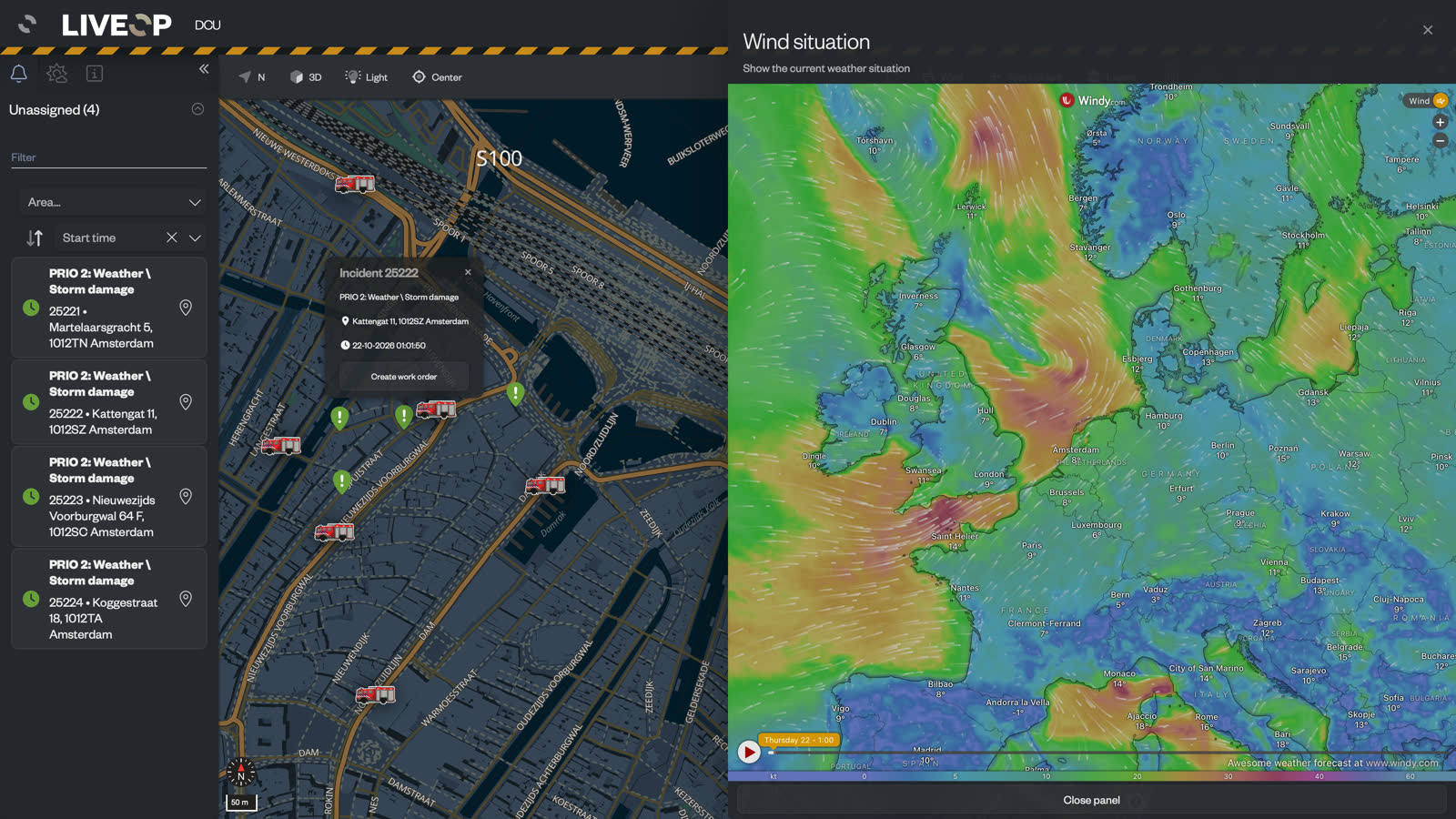
Incidents entering the DCU process become work orders that decentralised teams can assign, work and complete. The control room gains capacity while your organization keeps a consistent view of what is waiting, what is underway and what has finished. Separate completed and all-work views keep the team oriented as volume rises.
Assignment stays explicit
Assign work to units and stations, unassign it when plans change, and keep assigned and unassigned work visible as distinct states.
Priority shapes the queue
Mark work as high, normal, low or very low priority, then follow created, handled and unknown status across the process.
Completion uses shared wording
Your organization configures default completion messages, giving teams consistent closing language across the whole surge.
Before deletion, DCU tells the user exactly what follows. Deleting a handled work order leaves the incident outside the unassigned queue. Deleting an unhandled work order returns its incident as unassigned. The decision and its consequence remain clear at the point of action.
When two people create a work order for the same incident at the same moment, DCU tells the second person that the work order already exists. The team keeps one shared item and one accountable outcome.

Weather stays beside the work it creates.
Windstorms and flooding can change the shape of demand by the hour. DCU keeps current conditions, a later forecast and the wind situation on the same coordination surface as the active work.
Create the control-room incident the moment decentralised work needs a formal response.
A report can begin as surge work and develop into something the control room needs to handle. From inside DCU, an authorised user creates an incident in the control room with its classification and first notepad line. The destination is explicit before the action is taken.
Every handover and review starts with the full episode.
DCU preserves the history behind the current state. During the process, teams can see what changed and who last edited an item. Afterwards, the archive brings the people, timing and work of the episode together for review.
Status and edit history
Follow modifications to individual items and retain the sequence behind the final outcome.
Archive by episode
See when the process started and stopped, who started it, who last edited it and everything handled inside it.
Operational detail and export
Retain incident number, classification, location, station, unit, vehicle type and timestamps, with work orders available for CSV export.
Practise the complete DCU process before the forecast turns.
Your service can open a training process and rehearse the same operating model in DCU. It remains labelled as training throughout, so teams can practise authorisation, decentralised coordination, escalation and stand-down with a clear exercise context.
Choose training when the process begins and retain that label throughout the exercise.
Assign, update and complete work orders through the same bounded operating model.
Use the preserved record to strengthen roles, wording and stand-down for the next operation.
Built for public-safety operations that have to keep moving.
Questions control rooms ask.
What makes a DCU process controlled?
Which work belongs in DCU?
How do teams keep work consistent across stations and units?
Can we configure DCU around our organization?
What can we retrieve after the operation?
Test DCU against the surge your control room plans for.
Bring a storm, flooding scenario or planned peak from your own region. We will walk through the decision to open DCU, the work outside the room, the route back and the record your organization keeps.